


Image matching
When features have been extracted, they are matched to find homologous points.
The matching window size defines the neighbourhood used for matching each point.
A small window results in much faster processing, but may result in false matches because the content in the window is not sufficiently discriminative.
A large window usdually results in more robust results, but in addition to being slower there is also a risk that matches are rejected due to large local perspective differences within the window.
The general recommendation is thus to use the smallest window generating consistently successful results.
The matching threshold defines a minimum threshold to accept the match.
More matches will be accepted when the threshold is decreased. A too low threshold may result in many false matches.
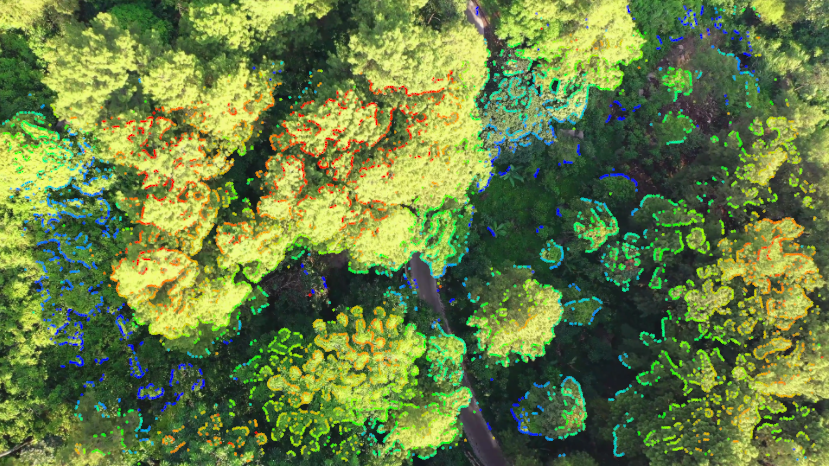
Figure 3.26: Matching threshold 70 (default is 80).
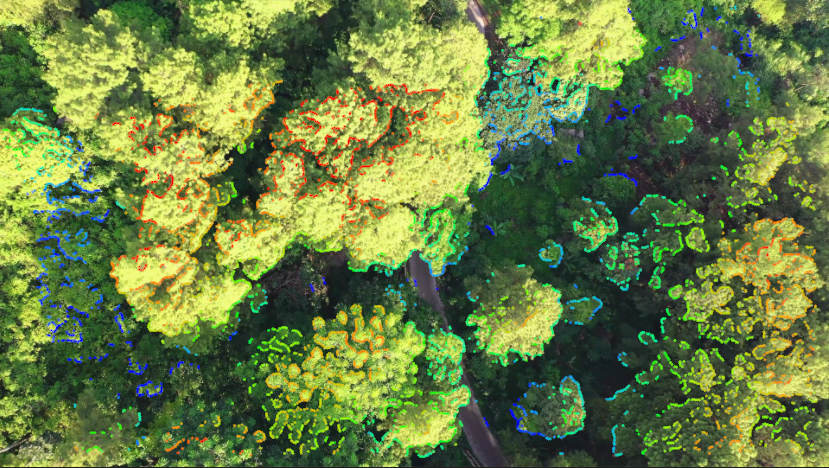
Figure 3.27: Matching threshold 92.